

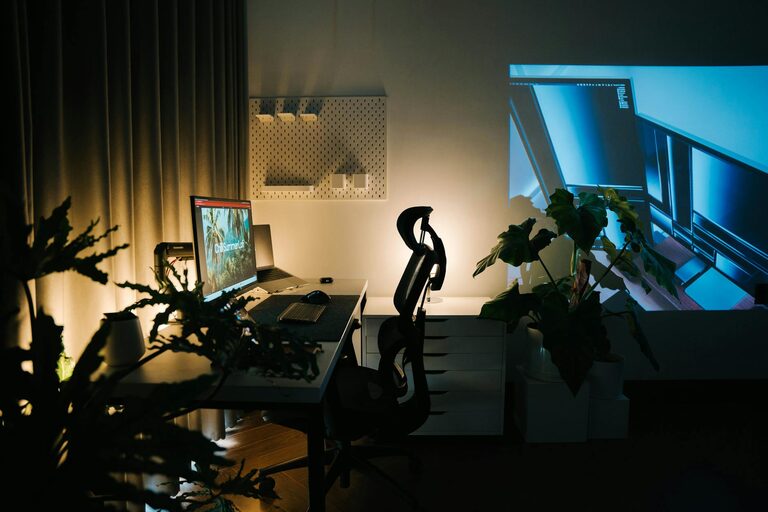
Creating a home workspace that is both cozy and productive can significantly enhance your work-from-home experience. Whether you’re tackling daily tasks, engaging in creative projects, or attending virtual meetings, the right environment plays a key role in boosting your focus and well-being. Here are some practical tips to help you design a space that balances comfort with efficiency.
Choose the Right Location
Selecting the ideal spot for your workspace is the foundation of productivity.
– Natural Light: Look for a space with ample natural light. Sunlight can improve mood and reduce eye strain.
– Quiet Environment: Choose a quiet corner to minimize distractions from household noise or traffic.
– Away from High Traffic Areas: Position your desk in a less busy part of your home to maintain concentration.
Invest in Comfortable and Functional Furniture
Ergonomics matter when you spend long hours at your desk.
– Ergonomic Chair: Opt for a chair with good back support and adjustable features to promote good posture.
– Proper Desk Height: Your desk should allow your elbows to bend at a 90-degree angle when typing.
– Additional Seating: If space permits, add a comfy chair or small sofa for reading or brainstorming sessions.
Organize and Declutter
A tidy workspace helps maintain focus and reduce stress.
– Storage Solutions: Use shelves, drawers, or filing cabinets to keep documents and supplies neatly stored.
– Minimalism: Keep your desktop uncluttered. Only have essential items on your desk.
– Cable Management: Use clips or covers to organize cords and prevent tangling.
Personalize Your Space
Adding personal touches can make your workspace inviting and inspiring.
– Plants: Indoor plants improve air quality and add a splash of nature.
– Artwork or Photos: Decorate the walls with calming or motivational images.
– Color Choices: Use colors that help you feel relaxed yet alert, such as soft blues or greens.
Optimize Lighting
Proper lighting is essential to avoid eye fatigue and maintain alertness.
– Layered Lighting: Combine natural light with desk lamps and overhead lighting to create balanced illumination.
– Adjustable Desk Lamp: A lamp with adjustable brightness and direction helps when working on detailed tasks.
– Avoid Glare: Position screens and lights to minimize glare on your computer monitor.
Establish Boundaries and Routine
Maintaining discipline in your home workspace ensures consistent productivity.
– Work Hours: Set specific start and end times to your workday.
– Breaks: Schedule short breaks to stretch or walk around, which enhances concentration.
– Clear Boundaries: Use a physical divider or door to separate work from personal areas if possible.
Use Technology Wisely
Leveraging the right tools can streamline your work process.
– Ergonomic Accessories: Consider an external keyboard and mouse for a more comfortable setup.
– Headphones: Noise-cancelling headphones can help you focus during calls or while working.
– Task Management Tools: Use apps or planners to organize your workload efficiently.
Maintain Comfort and Air Quality
Comfort extends beyond furniture and decor.
– Temperature Control: Ensure your workspace has good ventilation and a comfortable temperature.
– Air Purifiers or Humidifiers: These devices can improve air quality, especially in enclosed rooms.
– Soft Textiles: Adding a rug, cushions, or a throw blanket can increase coziness.
—
By applying these tips, you can craft a home workspace that feels welcoming and supports your productivity throughout the day. Remember, the best workspace is one tailored to your personal needs and work style, so feel free to experiment and adjust as you go. Happy working!