

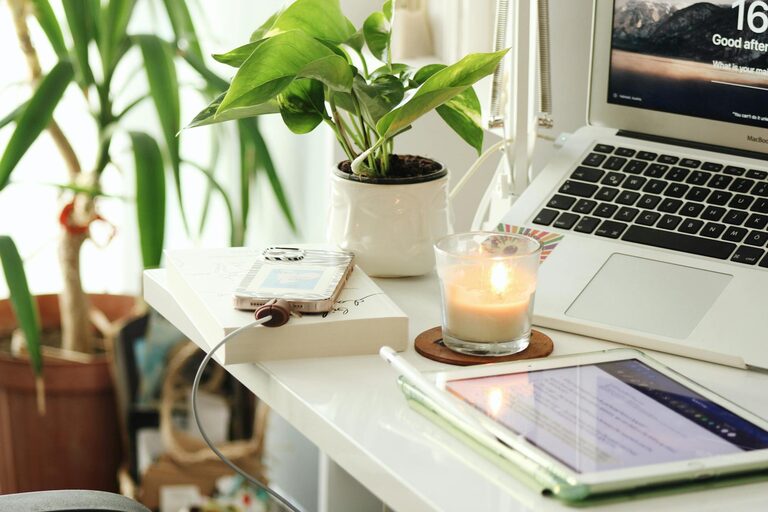
Creating a home office that feels cozy and encourages productivity can greatly enhance your work-from-home experience. Whether you have a dedicated room or a small corner in your living space, thoughtful design and organization can transform your workspace into a place you enjoy spending time in and where you get things done efficiently. In this post, we’ll share practical tips to help you build a home office that balances comfort and focus.
Choose the Right Location
Selecting the ideal spot for your home office is the first important step. Look for a quiet area with natural light to help you feel refreshed and reduce eye strain. If possible, avoid spaces with a lot of foot traffic or noise distractions.
– Natural Light: Position your desk near a window to benefit from daylight.
– Privacy: Use a room with a door or create a partition to separate your work area from the rest of your home.
– Ventilation: Fresh air keeps your mind alert, so ensure good airflow.
Invest in Comfortable Furniture
Spending hours at your desk means comfort is key. An ergonomic setup prevents aches and helps maintain good posture.
– Desk: Choose a desk with enough surface area for your computer, paperwork, and accessories.
– Chair: Invest in an adjustable chair with lumbar support to reduce back strain.
– Standing Options: Consider a sit-stand desk or a desk converter to vary your position throughout the day.
Organize and Declutter
A neat workspace supports focus and efficiency. Organize supplies regularly to avoid clutter.
– Storage Solutions: Use shelves, drawers, or containers to keep items tidy.
– Cable Management: Secure cables with clips or ties to reduce mess.
– Daily Reset: Spend a few minutes at the end of each day tidying your desk.
Personalize Your Space
Adding personal touches can make your office feel inviting and motivating.
– Decor: Use artwork, plants, or photos that inspire you.
– Colors: Choose calming colors like soft blues or greens to reduce stress.
– Lighting: Besides natural light, include task lighting like desk lamps to prevent eye strain during evening work.
Minimize Distractions
Create an environment that helps you focus on your tasks.
– Noise Control: Use noise-canceling headphones or a white noise machine if needed.
– Tech Setup: Keep only work-related devices on your desk, limiting distractions from your phone or tablets.
– Clear Boundaries: Let family members know your work hours to minimize interruptions.
Plan Your Workflow and Breaks
An organized work routine promotes productivity and well-being.
– Task List: Keep a list or planner to track daily goals.
– Time Blocking: Allocate specific periods for focused work and breaks.
– Ergonomic Breaks: Stand up, stretch, or walk every hour to reduce fatigue.
Add Greenery for a Fresh Atmosphere
Plants can improve air quality and add a touch of nature to your space.
– Easy Care: Choose low-maintenance plants like succulents or pothos.
– Placement: Position plants where they get enough light but don’t crowd your work area.
Use Technology Wisely
Efficient use of technology enhances comfort and productivity.
– Monitors: Use an external monitor for better posture and viewing comfort.
– Accessories: A wireless keyboard and mouse reduce cable clutter.
– Apps: Utilize productivity tools or calendar apps to stay organized.
Maintain Your Workspace
Regular cleaning and upkeep ensure your home office remains inviting.
– Cleaning Schedule: Dust and wipe surfaces weekly.
– Refresh Setup: Occasionally rearrange or update your space to keep it inspiring.
—
Creating the perfect home office doesn’t have to be expensive or complicated. With these tips, you can build a cozy, efficient workspace tailored to your needs. A well-designed home office will support your work goals and help you enjoy the balance of working from home.